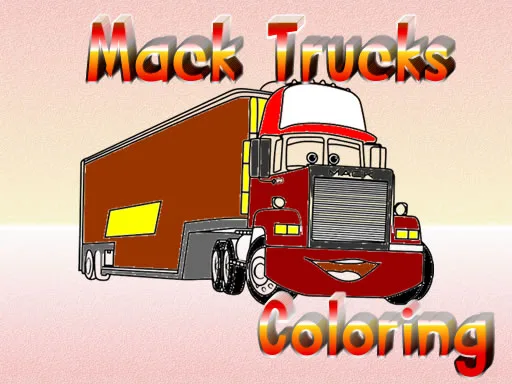
Mack Trucks Coloring
Loading game…
This game is unavailable
It stopped responding, so we have taken it down while we look into it. Here are some others you might like.
You played Mack Trucks Coloring
Up next
- Category Puzzle
- Players 1 player
- Plays 0
- Added Aug 2026
Mack Trucks Coloring hands you twelve trucks and lets you decide what they look like. A truck outline is a good thing to colour because so much of it is separate parts - cab, grille, wheel arches, mudflaps, the long trailer behind - and each one can take a colour of its own without the picture falling apart.
The tools sit either side of the drawing. Colours run down the right, brush sizes down the left, and that size choice matters more than it sounds: a wide brush fills a bonnet in one sweep, a narrow one is the only way to get the lights and window frames right. An eraser lifts out anything you regret, and a finished truck can be saved to your computer.
How to play
Pick one of the twelve trucks from the menu to open it. Choose a colour from the strip on the right, set a brush size on the left, then click inside the part you want filled. Start with the big panels and work down to the small ones, because a cab colour changes how everything near it reads. If paint goes where you did not want it, the eraser takes it back out. Save the picture to your computer once you are happy with it.
Controls
Everything is done with the mouse: click a colour on the right, click a brush size on the left, then click on the truck to lay the paint down. Pick up the eraser and click over a mistake to lift it again. On a tablet or phone the same taps work, with a finger in place of the pointer.
How to play - video walkthrough
Tags
Similar games
 Ocean Blast: Block Puzzle
 Water Sort Puzzle Master
 Crystal Cave Sort
 Coloring Book for Raya And The Last Dragon
 Top Wing: Color the Cadets
 Coloring Book for Cat In The Hat
 Coloring Book for Littlest Pet Shop
 Coloring Book for Despicable Me Printable
 Coloring Book for My Little Pony
 Coloring Book for Captain America
 Coloring Book for Frozen Elsa
 Coloring Book for Monster High
More in Puzzle
All games Minions Memory Match Up
 Football Marble Shooter
 Masha and the Bear Memory Match Up
 Paw Patrol Memory Match Up
 Tom and Jerry Memory Match Up
 Pokemon Memory Match Up
 Sonic Memory Match Up
 Miraculous Memory Match Up
 Fortnite Memory Match Up
 Ben 10 Universe - Color Fall
 Minecraft Card Matching Puzzle
 Color Pop Mania
Popular now
All games







Trending now
All games Army of Soldiers : ResistancePokemon Memory Match UpPaw Patrol Memory Match UpTom and Jerry Memory Match UpMinions Memory Match UpMasha and the Bear Memory Match Up
 Disney XD: Ultimate Air
 Nick Block Party 3
 Psycho Beach Mummies
 Army of soldiers : Team Battle
 Noob vs Pro - Armageddon
 Noob vs Pro - Boss Levels